Pharma Inventory Reconciliation Starts With Better Capture.

Reconciliation depends on being able to compare physical inventory with the records created during inventory movement. QicScan AI captures barcode and serial information, counts, and images at the point of work, creating a richer capture record for inventory teams to work from when something does not match.

Physical record + system recordMismatch Flagged

By the Time You Find the Mismatch, the Problem May Already Be Downstream.

Missed scans, duplicate scans, incorrect capture, and differences between physical inventory and system records can surface during reconciliation. When the original capture record contains limited information, teams have less context for understanding what happened.
QicScan is designed to capture more information at the point of work, so reconciliation has a richer record to work from.

Where Inventory Mismatches Surface

Missed & Duplicate Scans

A missed or duplicate capture can make physical and system records harder to align.

Physical vs. System Counts

Compare physical inventory information with the operational record when counts do not align.

Exact-Package Verification

Use serialized package information when the question is not just “how many?” but “which package?”

Returns & Exceptions

Capture product information and supporting evidence when returned or exceptional inventory needs review.

See What Was Captured. See What Didn't Match.

QicScan brings barcode and serial capture, counting, label information and images into the same point-of-work capture process. That gives inventory workflows more information to work with when physical inventory and system records need to be compared.

Serialized Capture

Capture barcode and serial information across multiple products within a visual frame.

Automated Counting

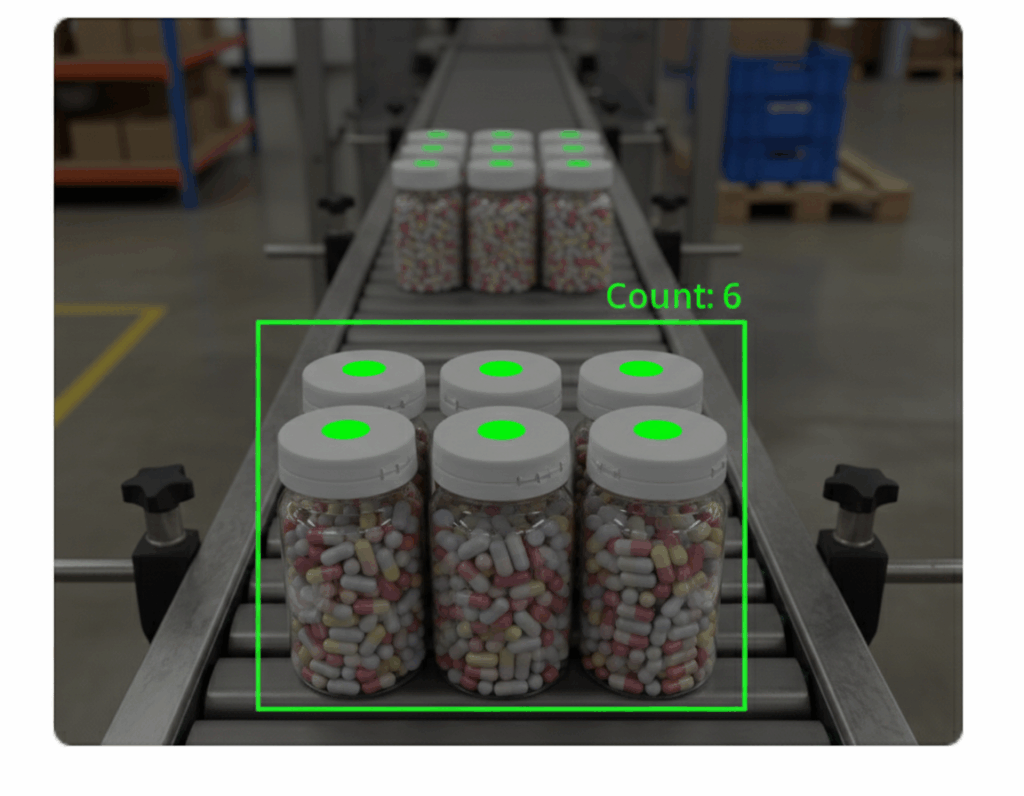
Detect and count products within the capture area.

Image Documentation

Capture product and condition images alongside inventory information.

OCR Label Reading

Read relevant information from labels alongside barcode data.

Exception Visibility

Help identify capture issues and mismatches that require follow-up.

System Integration

Send captured information into supported WMS, ERP and track-and-trace systems.

Reconcile From Better Data, Not More Manual Work.

Capture at the Point of Work

Create the inventory record while the product is being received, moved, counted, or verified.

Existing Devices

Use existing Android phones and tablets as the capture device.

Richer Capture Records

Bring identifiers, counts, images, and other captured information together.

System Integration

Connect captured information with supported WMS, ERP and track-and-trace systems.

What QicScan Has Demonstrated

42-Case Pallet

One Scan. Barcodes, counts and images captured simultaneously.

99%

Data Capture Accuracy—documented QicScan platform accuracy.

95%

Pairing Accuracy—documented pairing accuracy on pallets and totes.

50–70%

Reduction in inventory handling time.

30 Sites

Distribution centers at a Fortune 20 healthcare company.

Weeks

Typical time to measurable ROI.
These are documented QicScan platform/deployment results. They are not presented as guaranteed reconciliation improvements for every pharmaceutical operation.

Use Cases by Stakeholder.

Inventory Control Manager

Know What Was Captured

Get clearer visibility into what was captured, what did not match, and where action is needed.

Supply Chain / Distribution Head

Improve the Capture Layer

Create richer inventory records across high-volume movement and verification workflows.

Compliance / Regulatory Lead

Support the Record

Create cleaner records that can support verification, returns, traceability and audit-readiness workflows.

Reconciliation Should Tell You More Than What Doesn't Match.

QicScan does not replace the reconciliation process. It improves the information captured before and during that process, giving inventory teams a richer record when they need to investigate a difference.

Identify the Difference

Determine what was captured and where the physical and system records differ.

Understand the Record

Use the captured identifier, count, label information, or image to provide additional context.

Route the Exception

Give teams a clearer starting point for investigating a mismatch or exception.

Correct the Record

Use the appropriate operational workflow to resolve the discrepancy and bring the inventory record back into alignment.

Find Inventory Problems Earlier
Before They Move Downstream.

See how QicScan can create a richer capture record for your pharmaceutical inventory workflows.

Machine Vision-Based Data Capture and Barcode Scanning Solutions for Pharma, Food, Retail & Logistics

Phone: 989-657-6583
Email: info@qicscan.ai

© QicScan AI | All Rights Reserved.